This is default featured slide 1 title

Go to Blogger edit html and find these sentences.Now replace these sentences with your own descriptions.

This is default featured slide 2 title

Go to Blogger edit html and find these sentences.Now replace these sentences with your own descriptions.

This is default featured slide 3 title

Go to Blogger edit html and find these sentences.Now replace these sentences with your own descriptions.

This is default featured slide 4 title

Go to Blogger edit html and find these sentences.Now replace these sentences with your own descriptions.

This is default featured slide 5 title

Go to Blogger edit html and find these sentences.Now replace these sentences with your own descriptions.

Saturday, May 31, 2014

Nokia XL Dual Sim with Android Base OS

The Nokia XL was launched in Barcelona back in February along with the Nokia X which arrived earlier in the Philippines.

The dual sim Nokia XL is now available at all Nokia stores and authorized resellers for Php8,990.

 Android Base OS but looks like windows OS much better camera with flash than Nokia X


Nokia XL specs:
5.0-inch IPS LCD display @ 800×480 pixels, 187ppi
Qualcomm Snapdragon S4 1.0GHz dual-core
768MB RAM
4GB internal storage
up to 32GB via microSD
Single-SIM (micro-SIM) or Dual-SIM
3G/HSPA 7.2Mbps
WiFi 802.11 b/g/n
Bluetooth 3.0 + HS
5MP rear camera with LED flash
141.4 x 77.7 x 10.9mm
190 grams
Li-Ion 2000mAh
Nokia X software platform 1.0 (Android Jellybean based platform)

The dual sim Nokia XL is now available at all Nokia stores and authorized resellers for Php8,990.



Tuesday, May 27, 2014

Throwback: Famous Website Looked Like at Launch

Throwback Famous Website  Looked Like at Launch , added some info.

1. Google

While the company's design doesn’t seem to have changed a whole lot, its services and capabilities sure have. Created by Stanford PhD students Sergey Brin and Larry Page, Google officially launched Sept. 4, 1998. The interface was so simple because the founders didn’t know HTML and were looking for a quick design.

2. YouTube

The video sharing website that brought us hits like “Charlie bit my finger” and “Sneezing panda” first launched in February 2005 with a practically empty interface and no evidence of videos. The first video uploaded to the site was created by one of YouTube's founders, Jawed Karim, and was titled “Me at the Zoo.” It was a 19-second clip of him in front of elephants at the San Diego Zoo.

3. Facebook

Facebook -- or should I say Thefacebook -- was created by Mark Zuckerberg in February 2004. As the original interface indicates, the site was only available for Harvard University students, which eventually expanded to today's 800 million users across the world.  The interface also featured the image of a man’s face in the upper left hand corner, a digitally manipulated photo of Al Pacino.

4. Yahoo!

An acronym for “Yet Another Hierarchical Officious Oracle,” Yahoo was the product of another Stanford duo, Jerry Yang and David Filo. In March 1995 the site was heralded as the first online navigational guide to the web. The original interface featured a simple search bar and hyperlinks to other websites, but soon became a sleek, personalized news website.

5. Amazon

The mecca of online shopping can trace its roots back to 1995, when it was primarily an online bookstore. Jeffrey Bezos named the site after the Amazon River. The original site contained small text and icons, which still informs its most recent design.


6. Twitter

This barely recognizable design was the first concept of co-founder Jack Dorsey back in July 2006. It featured the word "Twttr," which was inspired by Flickr and SMS shortcode (which always includes five characters). Although the interface design has changed at least six times in the last five years, that hasn't deterred its more than 100 million users.


7. MySpace

Launched in August 2003 as a competitor to Friendster, MySpace's original design was pretty bland. When MySpace skyrocketed to popularity between 2005 and 2008, News Corp. bought the social networking site for $580 million. Although it holds the former title of most-visited site on the Internet, MySpace sharply declined in the past few years. The site recently sold to Specific Media and Justin Timberlake for $35 million.


Get Windows XP Security Update until 2019 ; Registry Hack


You are not allowed to directly install these Windows updates for your OS. In order to download new security updates for your Windows XP, you just need to perform a simple intervention into the Windows registration database.
STEPS TO FOLLOW:
  • Open Notepad and create a new file.
  • Add Below given code to it:
Windows Registry Editor Version 5.00
[HKEY_LOCAL_MACHINE\SYSTEM\WPA\PosReady]
"Installed"=dword:00000001
  • Save file as .reg extension and run it by double clicks.
  • Once executed, you will find lots of pending updates in your Windows Action Center.


Because the extended support for Windows Embedded POSReady 2009 systems ends after 5 years, Microsoft will continue to deliver new security updates and patches for this version of its embedded operating system till April 9th, 2019, so users can use this trick to get security updates of Windows XP for another five years.
Important Note for our Readers - Despite receiving security updates for Windows XP by using such tricks, it is not possible to secure the complete system appropriately. So we highly recommend all of you to upgrade your operating system to the latest versions, i.e. Windows 7 or 8 or any Linux Distro.


http://adf.ly/844647/xpsp3

Monday, May 26, 2014

Hacking Cable TV and Networks

This is a post  from  THN one from my list webwatch  author 


"I was watching my favorite show on the television and it was just half over when I saw something which was definitely not a part of the show I was watching. My television screen gone blank for a couple of seconds and then what I saw was totally unbelievable for my eyes.
It was my friend ‘Rahul Sasi’ on the television and I was still wondering that how did he interrupted in between a television show like happens in Sci-Fi movies, someone hijacks television or computer to deliver some kind of message or warning. Also like in some horror movies in which sometime ghostly images interrupts between the television and suddenly comes out. Oh my god!
But, nothing happened like that in my case, my friend didn't came out. Just few minutes later I was again redirected to the same show I was watching, only a part of it I missed, but never mind I’ll watch it on the YouTube later. "


Friday, May 23, 2014

TopBlogs Official Statement About False Malware Report

TopBlogs.com.ph (formerly PinoyTopBlogs) was created to measure the popularity of filipino blogs.
The largest tracking site for filipino blogs, covering a large latitude of blogs and readers.
It track the number of unique visitors and pageviews each blog gets. Every week it reset this number to zero, and it rank blogs according to the number of unique visitors they get in the week.

Our topsites have tracked over 250,000,000 unique visitors, and we have developed some advanced anti-cheating methods to keep the riff-raff out.

I though  I was only the one with a false malware report, this is their statement every blogger receive this through mail.


Thursday, May 22, 2014

How to Change Mac Huawei BM623m V12 V13 and BM622m package date 2013 V21 V22

This is  a step by step  how to change  MAC on  Huawei BM623m
 I already post  a review and tools to change  mac with video, but still there are some lazy to fallow the readme .txt  the link posted here : Huawei BM623m Review :http://blogmytuts.blogspot.com/2014/02/huawei-bm623m-review.html

Below  are step by step print screen how to..
This step may apply to BM622m V21 and V22 package date 2013


 REQUIREMENTS:
1. Mozilla Firefox  or Google Chrome  ( I use Mozilla)
2. Web Developer Add -ons    LINK: https://addons.mozilla.org/en-US/firefox/addon/web-developer/
3. Open SSH    ( available BMT_623mTools download below)
4.  Admin Passgen (availble on BMT_623mTools download below this post )
4. Open and Clear Mind


 STEP by STEP 

 1. Install  Web Developer  https://addons.mozilla.org/en-US/firefox/addon/web-developer/


2. Install Open SSH   setupssh.exe  kasama yung sa tools na i dadownload nyo sa ibaba ng page na eto..


3. Open your Mozilla Firefox  Type this IP 192.168.254.254
open admin passgen get your modem Serial and  WAN Mac add.  then generate admin pass  (remove colon on MAC  " : " )


Paano malalaman kung v12 v21 v22  yan po yung last ng software version.


4. LOG IN use your generated admin pass. ( copy paste only )


5.  Go to Advance  tab  , then  click ACL   

Update  1 CLICK Check  ALL  BOX
Di mona Need mag  view source or Inspect Element maduling pa mata mo dun :P
Gamit and Webdeveloper  Tools  (yung nabangit sa itaas)
  • Click the Forms
  • Toogle Checbox
  • Check all box
Keyboard Shorct
ALT+SHIFT+W


Click  Apply  after...


Display Hidden Elements :


6. Remember   you install Open SSH ?
Go to  windows  run  (windows logo then press R)  or  search box on windows 7.
Type  :
ssh  mt7109@192.168.254.254

For bm622m v 21 and up  :
ssh  mt7109@192.168.254.1

For the First Time User i should pop out like this.  Answer it Yes

After answering close it  you will do this one time only!!! you can skip this step for your next  change mac because your computer  have fingerprint for the IP and account log in


7. Open the  Change Mac tools input a working mac  old or new series  this tool can auto generate user ID  and pass. click ok to continue  do nothing until it restore.


After   reload default it says reboot  your modem  Do not reboot it yet proceed to next step..


8. Change  Admin password  remember your generated admin pass?  paste it  here  the create new one like  "admin"  so you never generate  admin pass   again  , if you want to log in again.
NOTE:  DO-NOT  FORGET the PASSWORD


9. Change 623m WiFi  settings  go to Basics then LAN  click WLAN  tab.
For defualt user :  http://blogmytuts.blogspot.com/2014/05/how-to-change-wifi-password-globe.html


10. Check your WiMAX Security
The tools already input  right the Anonymous  id  and password
User Authentication  - this must be the mode
Ignore Certificate   -  this must be CHECKED


11 . The FINALE..   Reboot your  modem.... Maintenance TAB  click Device  click Reboot..


After Reboot your modem must  be connected   if  input MAC is working....


Question:
Bakit  di reboot  at sncfg default yung command?
pag reboot kase di siya auto change sa security gusto mo gawin mo reboot at manual mo input nalang yung security dagdag trabaho ka..

Diba mag 1970 yun sncfg default?
Hindi ilang beses kuna tiray nag auto update naman siya normal na mag 1970 siya kung di working yung mac..


Change MAC TELNET Version

Importante:


1.open a browser (firefox) type 192.68.254.254
log in as admin   (yung pass gen pang 2k12 2k13 pwede yun)
NOTE:pwede mo palitan yung pass neto wag mo kakalimutan

2.  Go to  Advanced TAB click ACL   ..  
3.On webdev toolbar Click Forms --Toggle Check Box .

On ACL  click Apply button... (much easy eto kaysa mag inspect element ka)

Kung wala kapa web developer meron dito sa folder web_developer-1.2.5-sm+fx open with mo sa Firefox then install mo  restart mo firefox gawin mo ulit step 2.


4.OK na input ka  mac pang 622m (NEW Series )or 622i (Old Series) pwede jan

5.Go WIMAX TAB > Security  Edit then Authentication Mode to User Authentication  and check the ignore certificate . CLICK APPLY

6.Maintenance TAB >> Device reboot your modem  ( unplug mo then plug mo ulit)  kung working yung mac connected na yan!!

To edit WiFi user and password   log in first then open this on new tab http://192.168.254.254/basic/wlan.html

-BMT


Di eto installer self extract lang eto kaya  .exe siya para di sabog sabog sa google docs.

MAS CLEAR NA TUTS CHANGE MAC THROUGH TELNET
CLICK HERE

ERROR LOGIN HOW TO FIX CLICK HERE!!


Di ako makapag change mac  sa Mybro or GP?
gamit ka ng pang open or back door .. sample tools a available sa internet  chicnagatas or media karne hindi ka mag kaka problema dyan kung inopen muna yung Telnet before ka mag upgrade..


Saturday, May 17, 2014

FIRST HONOR I Philippines Most Malware-infected country in the region — Microsoft

MANILA, Philippines — The country leads the pack in the number of malware infections in the region according to a report by Microsoft Corp.
According to the 16th edition of the Microsoft (SIR) Security Intelligence Report, both of the country’s malware encounter and infection rate were well above the global average and other countries in the region.
The Philippines’ malware infection rate for the 4th quarter of 2013 hit 32 percent, the highest in the region as well as other countries such as Australia, United States, and way above the global average of 21.6 percent. Our malware encounter rate, defined as the percentage of computers running Microsoft security products that reported a malware, reached 46.3 per cent, an average figure for the region but way above the global average of 21.6 per cent.


“Almost half of the computers here in the Philippines encountered malware in the fourth quarter of 2013. For the Philippines, it has been above the worldwide average,” Tim Rains, director for Trustworthy Computing at Microsoft Corp., said in a media briefing.
Rains, however, stressed that though there though the infection rate for the Philippines may seem high, the actual percentage is low.
“It’s not out of hand. 32 infections out of 1,000 is just a fraction,” Rains said.
Tracking the worldwide trend, both the country’s encounter and infection rate have also increased. For the malware encounter rate, the country posted 40.8 percent in the first quarter, 45.1 percent in the second quarter, 43.9 percent in the third quarter, and 46.3 per cent in the fourth quarter. For the country’s malware infection rate, the figure grew from 13.4 percent in the first quarter of 2013, to 18.1 percent in the second quarter, dipped to 17.3 percent in the third quarter, and surged to 32.1 percent in the fourth quarter.

source:http://www.microsoft.com/security/sir/default.aspx


Security Malware Global Infection Map

In what might be the most ingenious ad campaign for anti-virus software we’ve ever seen, Kaspersky Lab has put has put together a terrifying, interactive infographic of sorts calling attention to malware threats in real-time. The “Cyberthreat Real-Time Map” visualizes our planet in relation to malware, displaying the infection rates in every country and ranking them based on which are the most infected. Russia comes in at number 1, with the United States and India taking the 2 and 3 spots, respectively. Of course, it’s nothing more than a clever endorsement for Kaspersky Lab’s Security Scan software, but it’s fascinating to see the reach of malware across the globe in such a visually evocative format. See for yourself on Kaspersky’s site.


Kaspersky   Cyberthreat Real - Time Map Philippines  is in #22

View Live Map : http://cybermap.kaspersky.com/


Top Five Most  Infected:
1. Rusia
2. India
3.Vietnam
4.United States
5.China


Friday, May 16, 2014

How to Change WiFi password ; Globe Huawei BM623m WiMAX CPE

Open your  Web Browser

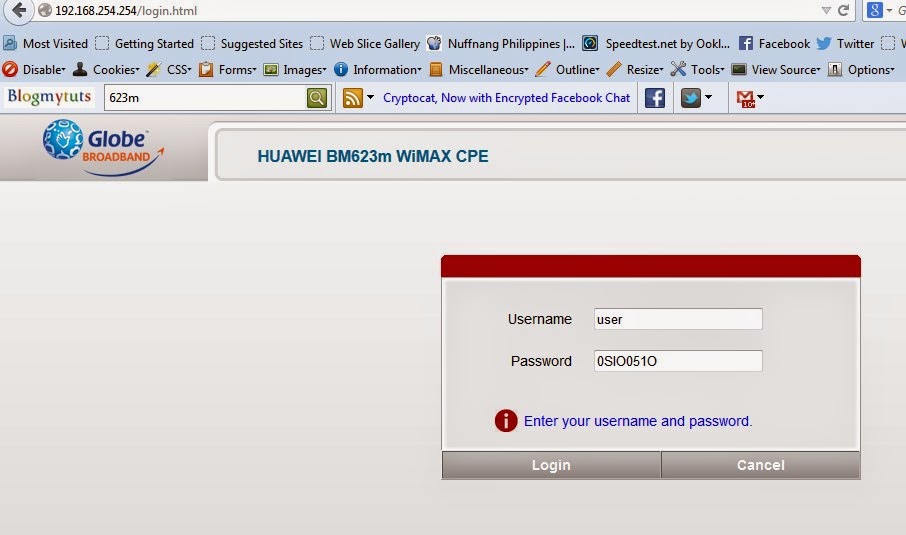
Type : 192.168.254.254
Click Log in

Log in  as :
Default User:
username: user
password: 0SlO051O  ( I prepared you copy paste this because its letter and number combination )
Type nyo muna sa Notepad  saka mo paste sa Log in nyo

( zero,Capital S,small L ,capital O, zero, five, small L, capital O )


Open Basic Tab
Click WLAN
Edit SSID   ( your WiFi network name)
Edit WPA Shared Key   (your WiFi password , combination of letter and number much better)
Kung 623m modem mo lilitaw yan ......

NOTE:  BM623m firmware eto  ha..pwede mo manual puntahan yung link kung BM622m firmware user ka  naman , uulitin ko 622m firmware pero naka  623m modem user ka. Huwag malito baka nakita mo 622m firmware mo dinaman BM623m WiMAX CPE modem mo.

Eto yung link:
http://192.168.254.254/basic/wlan.html


If naka Admin ka  ganito yung sa  admin :


yan  para wala  nang nag tatanong...

Bakit walang yung change password sa  WiFi nag log ka bilang user?
binigay ko na yung link  mag new TAB ka  saka mo i type  eto
 http://192.168.254.254/basic/wlan.html

Kung Nais nyo palitan yung admin or user password , login as admin muna kayo punta kayo sa Maintenance Tab then click Account.


kala ko walang tanong  pabalik yung tanong dito changemac :
http://blogmytuts.blogspot.com/2014/02/huawei-bm623m-review.html

May tanong ulit di nakikinig admin passgen  :
http://blogmytuts.blogspot.com/2013/04/huawei-wimax-bm622m-change-mac-permanent.html

Para sa ERROR LOG IN
http://blogmytuts.blogspot.com/2014/06/how-to-fix-huawei-bm623m-error-log-in.html


Cryptocat, Now with Encrypted Facebook Chat

Cryptocat’s mission is to make encrypted chat accessible and easy to use. With Cryptocat celebrating its third birthday (already!), we’re happy to announce the new Encrypted Facebook Chat feature in the latest Cryptocat 2.2 update.

Facebook Chat as a Cryptocat Buddy List

Cryptocat can now log into your Facebook account for you, fetch your Facebook contacts, and if another contact is also using Cryptocat, you’ll be able to automatically set up an end-to-end encrypted chat. If a Facebook friend later logs in via Cryptocat, your chat will be immediately upgraded to an encrypted Cryptocat chat:

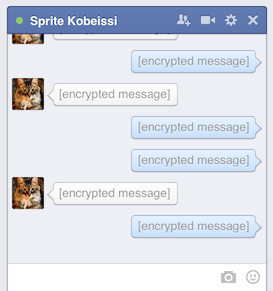
If both you and your Facebook friend use Cryptocat, your chats will be OTR-encrypted end-to-end and can’t be viewed by Facebook (or Cryptocat’s network.) This is how your chat will look like on Facebook:


 Effectively, what Cryptocat is doing is benefitting from your Facebook Chat contact list as a readily available buddy list. As a compliment to Cryptocat’s ephemeral group chat feature, Encrypted Facebook Chat lets you view which of your friends are online and allows you to immediately set up encrypted chat with them.


Users will still be able chat with non-Cryptocat users from within Cryptocat — although those conversations will not be encrypted (and you should probably ask your friends to upgrade to Cryptocat too, wink wink.)


DOWANLOAD  Cryptocat addons  https://crypto.cat/


Wednesday, May 14, 2014

Google Glass at CD-R King is a Fake,

Sorry to say but the excitement idea of having Google Glass through CD-R King is nothing but fake.
I'm one of those  who dream to have  Google wonder gadget LOL. They deleted the post  may be it just a humor at CD -R King and some one post it  on their page because of excitement.You can also view on that posted  image  admin of that page reply some commentators . I  don't know if their page was hack.


The image is no longer available on their page


 I'm  looking forward if any  company can get a copy cat of Google Glass .  If you want to built  it takes  80$   to built one.  according to teardown.com

You can read about the parts you can buy at 80$  here:
http://blogmytuts.blogspot.com/2013/02/project-glass-from-google.html


Tuesday, May 13, 2014

Unlocked Huawei LTE B593 Free

Huawei Technologies have recently launched a new algorithm which is used to generate the unlock codes for Huawei modem, in this article you can read about the Huawei Unlock Code Algorithms.

What Is Unlock Code Algorithm ?

Unlock code algorithm is just a sequence of logical operations (or, Xor, MD5) which is done on your IMEI in order to get the Unlock Code for Huawei Modems.


Determine Which Algorithm Does Your Modem Support

Confused ? Which algorithm does your modem support? Then its now easy to determine which algorithm does your Modem Support by using our Huawei Algo Check Tool, Just Follow this steps

Go-To http://www.modemunlock.com/huawei-algo-check

Unlocked Huawei LTE B593 Free Requirements  :
  • Internet
  • Google + account
  • common sense


1.Get  Your Modem  IMEI number at the sticker (you can see this at the back of your modem )
Example: 860091022942006
be careful writing it on a notepad  double check


2. Visit    this  Site :  http://huaweicodecalculator.com/new-algo/

Click  Sign in with Google  +


 3. Input your IMEI number  and Modem Model
Sample  here..  then click calculate.


 4. You must click Google +   to continue


 5. Get your Free New Algo Code  to unlocked your modem.
NOTE: Total Unlock Code you can generate is up to 6 .


6. Plug your Modem insert a new SIM Card from different  Provider.  ( I insert Smart here and the status is locked )


7. Log in on your browser.

If you have  default config    type this IP address your browser

192.168.254.254
Username: user
Password: @l03e1t3

If you already used  config patch for admin

192.168.1.1
Username: admin
Password: password123

You can download  admin patch  at  this post :
http://blogmytuts.blogspot.com/2014/04/huawei-lte-cpe-b593-4g-router.html

OR

Click download (Skips ads in 5 seconds)

http://adf.ly/1RuO7G


8. Go to internet TAB input your unlocked code.


  9.When  unlocked  Success you can see your SIM status  is Normal. You can input your new Internet Provider APN at APN Management.


Read More About  Huawei LTE CPE  B593: 

http://blogmytuts.blogspot.com/2014/04/huawei-lte-cpe-b593-4g-router.html

Philippines APN SETTINGS

Minsan ayaw mag connect dapat alam nyo APN ng SIM nyo at alam nyo din kung Prepaid or Postpaid ba  yan..
APN Settings for Globe
Postpaid APN: internet.globe.com.ph
Prepaid APN: http.globe.com.ph
APN Settings for Smart Bro
Postpaid APN: smartbro
Prepaid APN: smartbro
APN Settings for Smart Buddy, Smart Gold
APN: internet
APN Settings for Sun Cellular
Prepaid
APN (static): minternet
Authentication: PAP
IP address: dynamic
Postpaid
APN (static): fbband or minternet
Authentication: PAP
IP address: dynamic
APN Settings for PLDT WeRoam
Postpaid: WEROAMPLAN or internet

For B593s-931 LTE  August Firmware this is how you  unlock via Multicast  (upgrader) and admin access
Visit: http://www.blogmytuts.net/2015/09/unlocked-b593s-931-lte-august-firmware.html


Credit: http://huaweicodecalculator.com